Export your embedded wallet key so the SDK can sign transactions.
You already have an API key. This page covers the second secret: exporting the private key for the embedded wallet on that same Trepa account.The SDK uses it to sign predictions and other on-chain actions your automation performs.
Anyone with this key can move funds from that wallet. Do not commit it to git, paste it in chat, or give it to tools you do not trust.
When you are ready, export the key from the Trepa app:
1
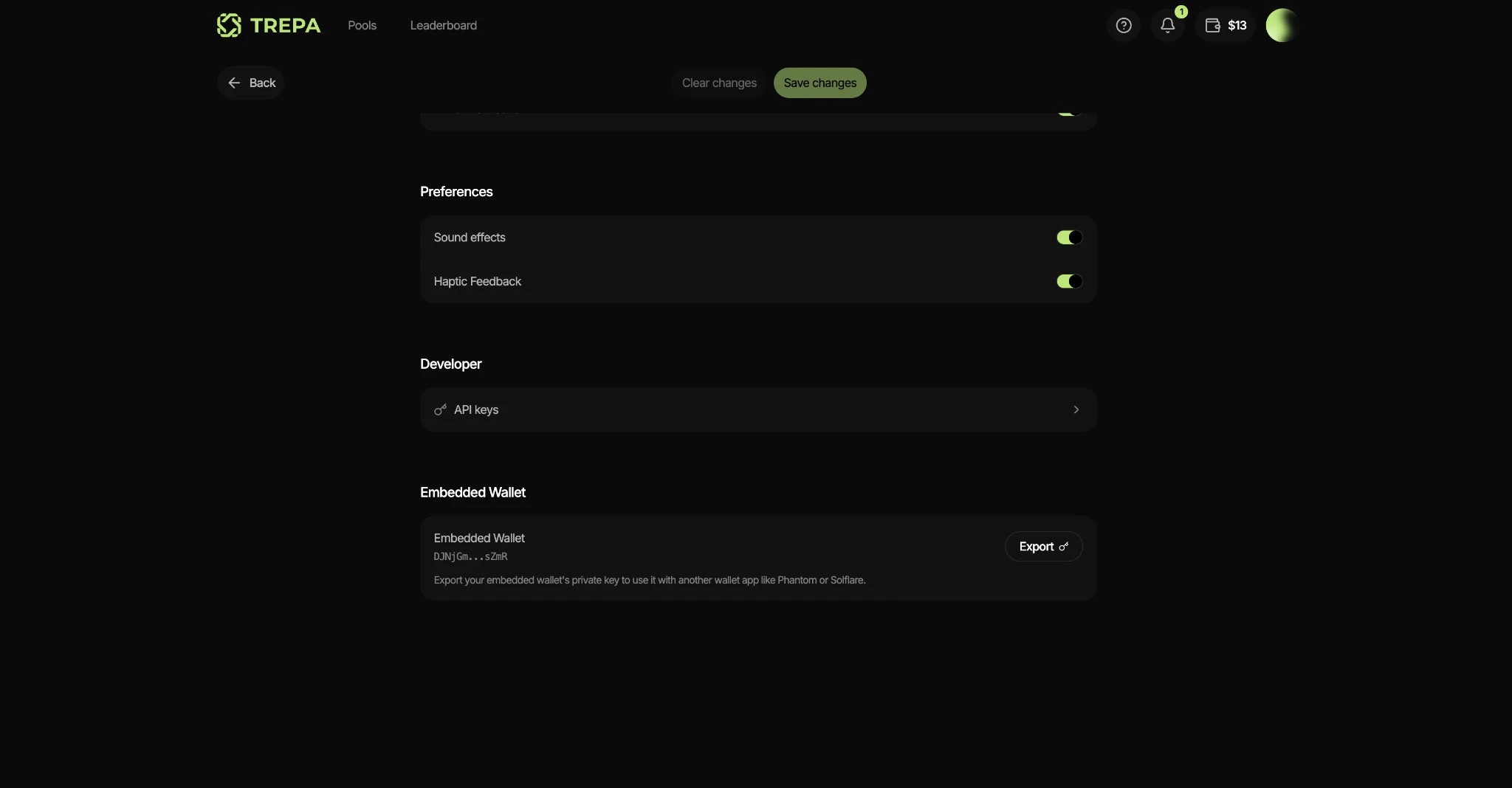
Open Settings, Embedded Wallet
Open Settings and scroll to Embedded Wallet. You will see your wallet address and an Export button.
2
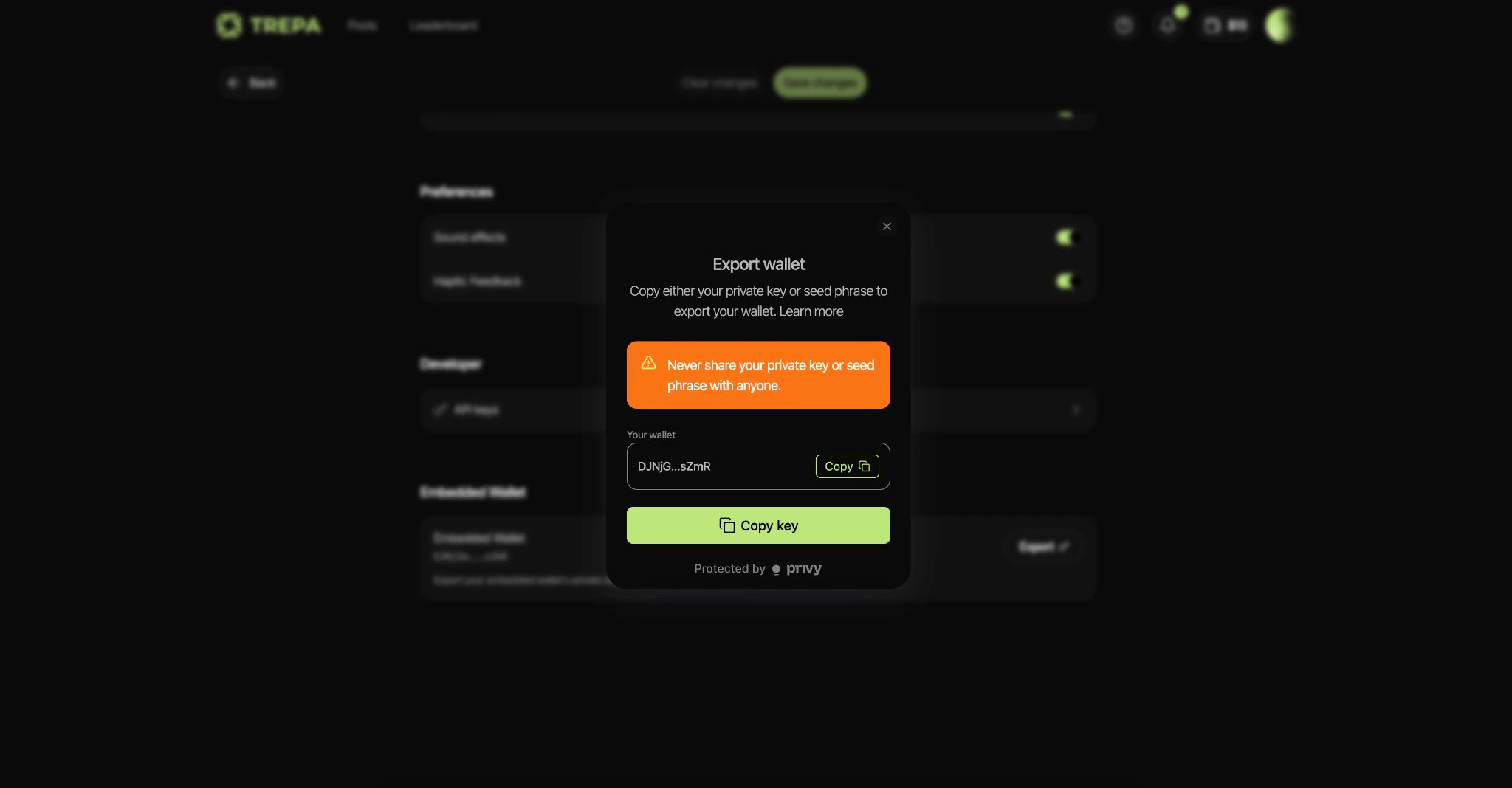
Copy the key from the export modal
In Export wallet, use Copy key, then store the value somewhere safe. You will use it next in Quickstart. The app only shows the full key in this flow, so save it now.
Keep the API key and this private key as a matched pair for one Trepa user.Next:Quickstart.
Last modified on May 29, 2026
⌘I
Assistant
Responses are generated using AI and may contain mistakes.