How to fund your Trepa wallet with USDC from Solana or other chains.
Trepa uses USDC on Solana. The Portfolio has a single Deposit button where you choose how to fund your wallet: via Solana, a card, a linked account, or another network. For other networks, Privy bridges and swaps it into USDC automatically.
You only need USDC to play, Trepa covers Solana fees for in-app activity. No deposit limits, just enough to cover your stake ($1–$5 per round). Stuck? Share your transaction ID in Discord.
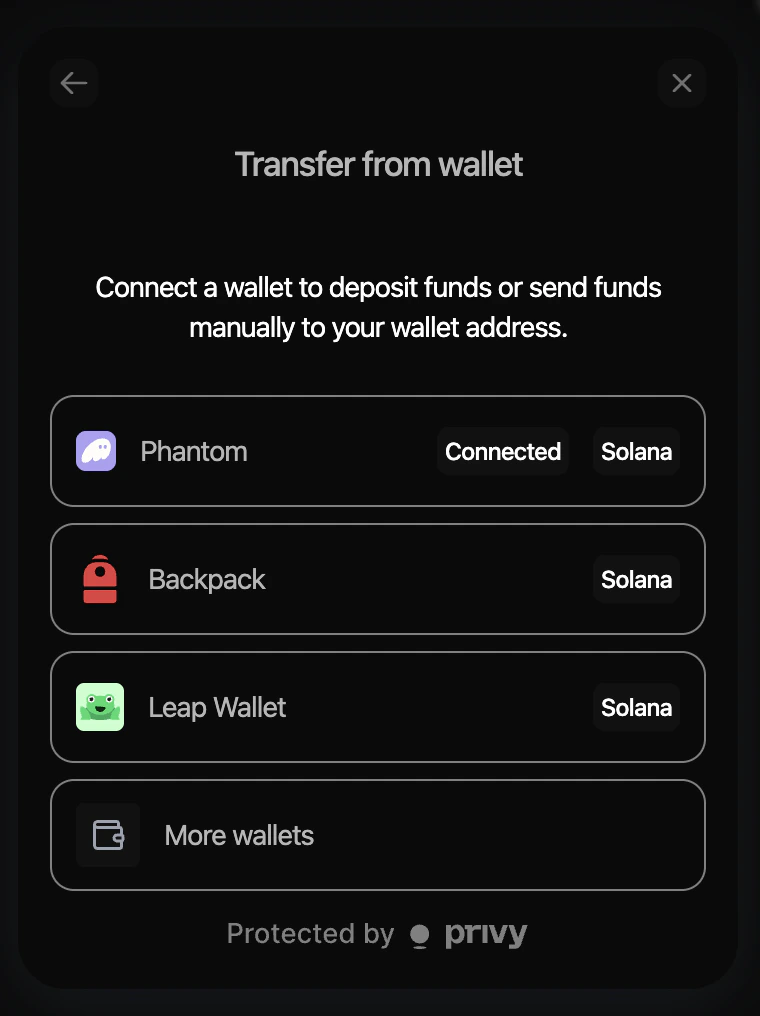
Transfer from wallet
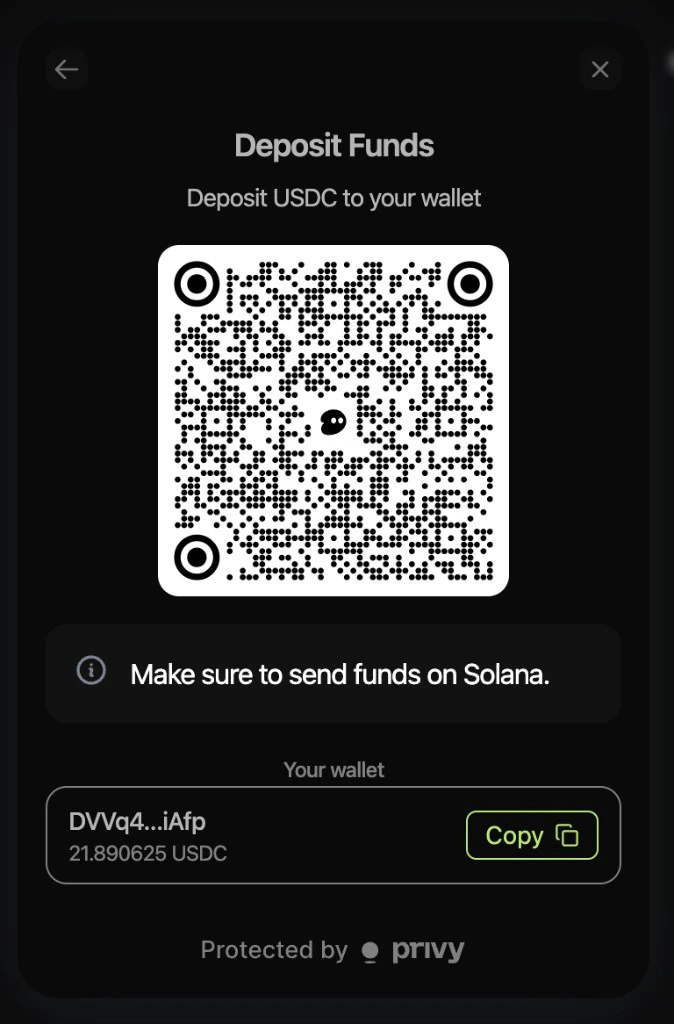
Receive funds
Deposit Crypto
1
Open Deposit
Go to trepa.app, open Trepa wallet (or Portfolio), then tap Deposit.
2
Choose how to deposit
Tap Deposit to fund from Solana, a card, or a linked account.
3
Transfer from wallet
In the Deposit USDC on Solana modal, tap Transfer from wallet. Then choose your wallet (Phantom, Backpack, Solflare, or another supported Solana wallet).
4
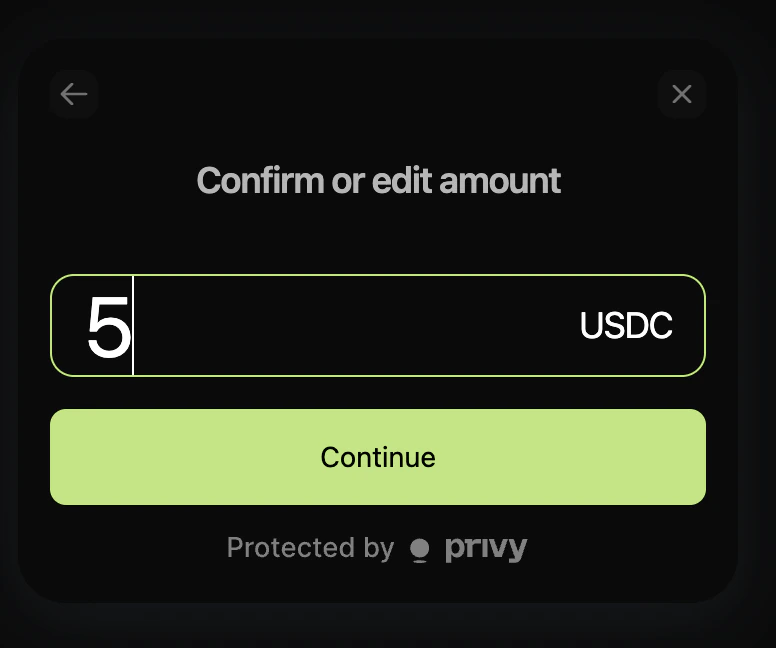
Enter amount
On Confirm or edit amount, enter how much USDC you want to deposit, then tap Continue.
5
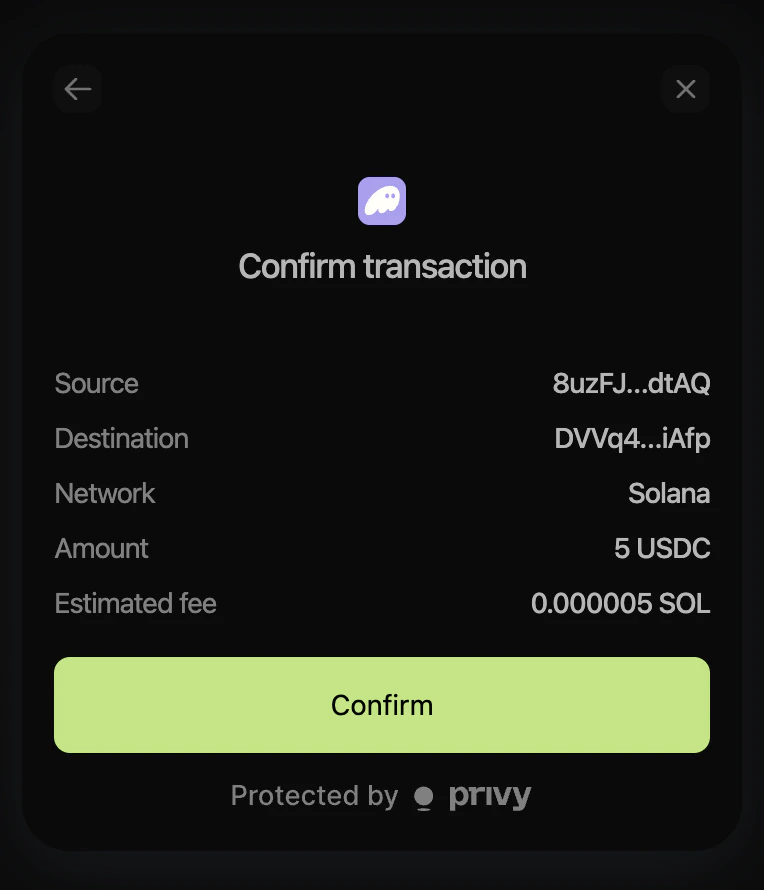
Confirm
On Confirm transaction, check source, destination, network, amount, and estimated fee, then tap Confirm. Approve in your wallet if another prompt appears. Network (SOL) fees apply and are paid by you to the Solana network.
6
Deposit successful
After the transaction confirms on Solana, your Trepa balance updates with the new USDC. You’re ready to play once it shows in Trepa wallet.
You can receive USDC from an exchange or another wallet by sending to your Trepa wallet address.
1
Open Deposit
Go to Trepa wallet → Deposit.
2
Choose how to deposit
Tap Deposit to fund from Solana, a card, or a linked account.
3
Receive funds
In the Deposit USDC on Solana modal, tap Receive funds. You’ll see a QR code, your Trepa address, balance, and Copy. Send on Solana only.
4
Send USDC
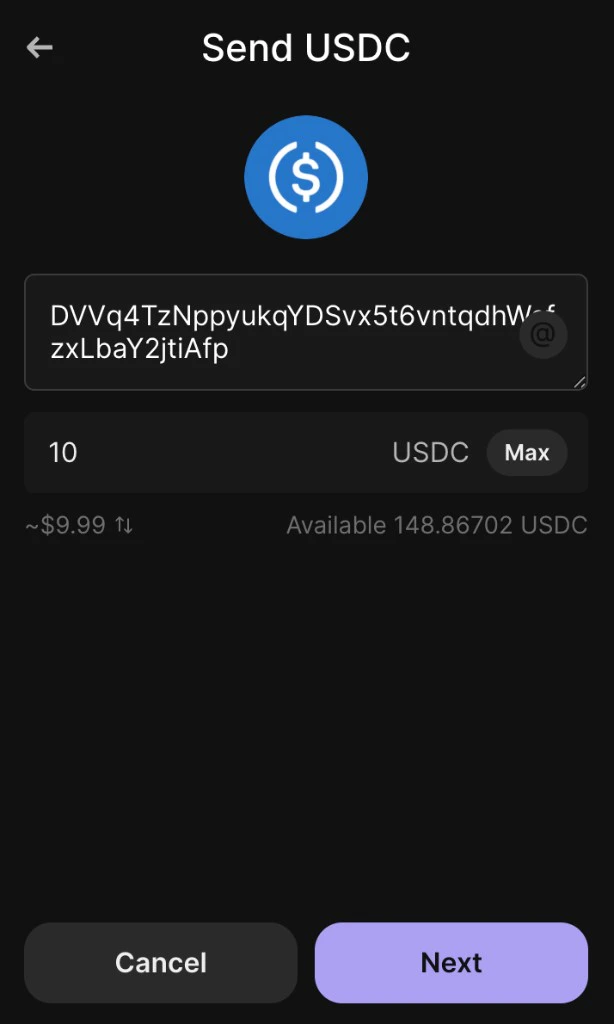
From your exchange or external wallet (for example Phantom in the browser), paste your Trepa address, enter the USDC amount, and send on the Solana network. Your UI may differ; this is the Phantom extension Send USDC flow.
5
Deposit successful
When the inbound transfer confirms on Solana, your Trepa balance updates. You’re ready to play once the USDC appears in Trepa wallet.
Always send on Solana. Sending on another network (e.g. Ethereum) can lose your funds. Unsure? Ask in Discord first.
Send crypto from any chain. Trepa uses Relay to handle conversion and routing into your Trepa wallet automatically.
1
Open Deposit
Go to trepa.app, open Portfolio, then tap Deposit.
2
Choose how to deposit
Tap Deposit Crypto to send from another network; it converts automatically to USDC.
3
Add funds
On Add funds, tap Continue to proceed. Relay handles conversion and routing into your Trepa wallet.
4
Select token
Choose the token you want to send, for example USDC, USDT, ETH, or WETH.
5
Select network
Choose the network you are sending from, for example Base, Ethereum, Solana, or Polygon.
6
Send to deposit address
Copy the deposit address shown and send funds to it from your external wallet or exchange. Relay handles conversion and routing into your Trepa wallet.
7
Ready to play
Once the transfer confirms, your Trepa balance updates with USDC and you’re ready to play. Bridge timing depends on the source network.
Last modified on July 28, 2026
⌘I
Assistant
Responses are generated using AI and may contain mistakes.