


About USDC and Solana
Trepa uses USDC (USD Coin) on the Solana network for transactions. USDC is a stablecoin backed by the US dollar, and Solana offers fast, low-cost, and reliable transactions.How to deposit USDC
You can deposit USDC to your Trepa wallet through two main methods: transferring from an external wallet or receiving funds directly to your wallet address.1. Deposit with external wallet
Transfer USDC directly from your external wallet (like Phantom or Solflare) to your Trepa wallet.1
Go to your portfolio by clicking on Trepa wallet, then click Deposit. 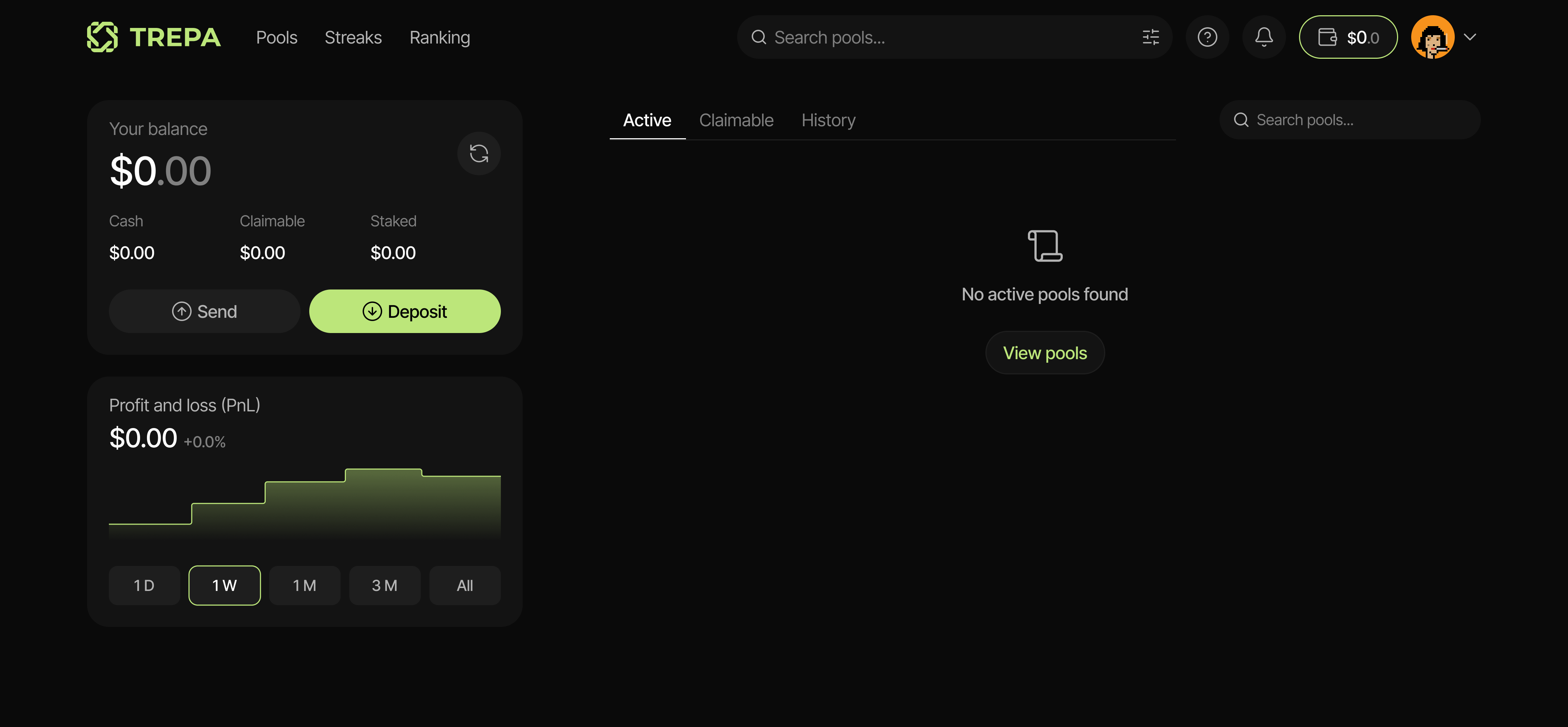
2
Click Transfer from wallet to connect an external wallet.
3
Choose your wallet from the list (Phantom, Solflare, or other supported wallets). 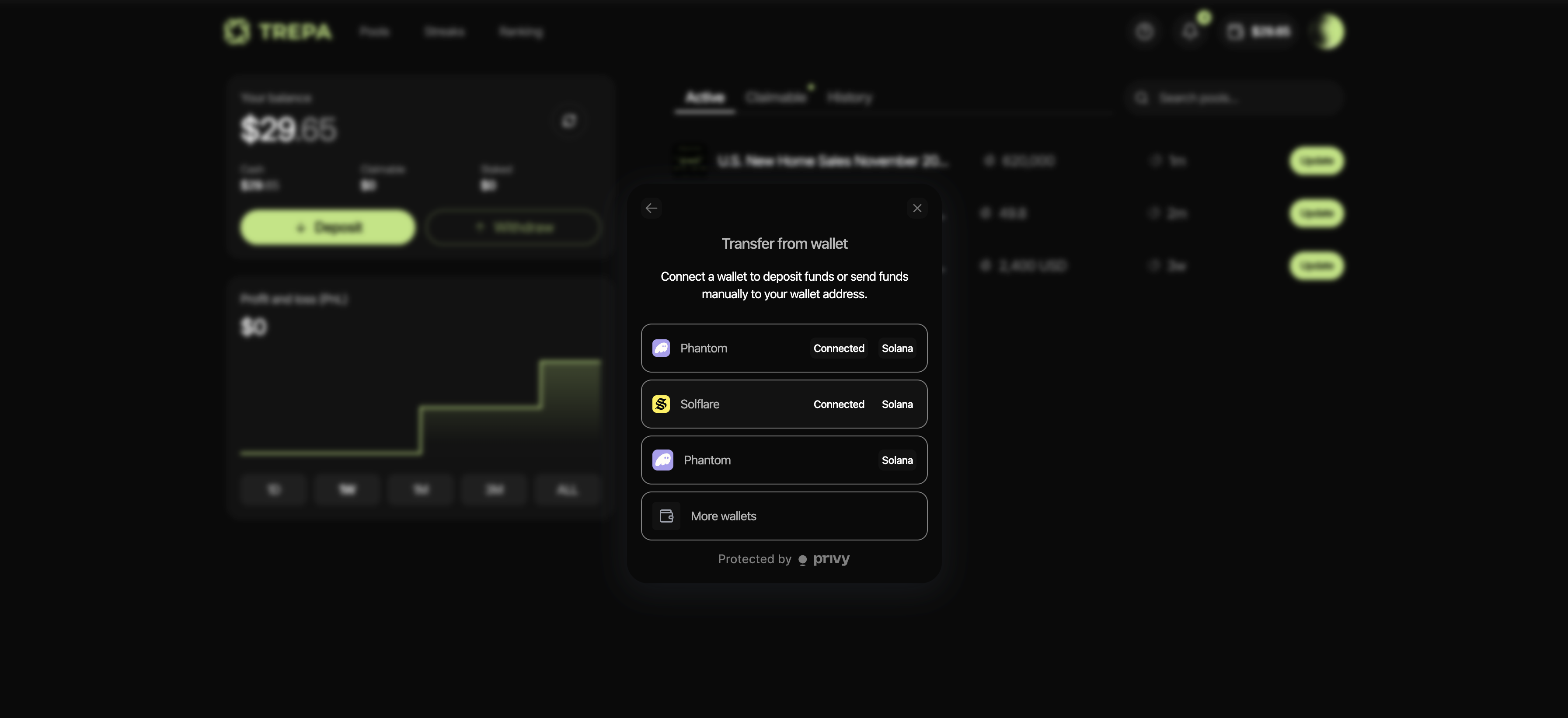
4
Enter the amount of USDC you want to deposit. You can edit this amount before confirming. 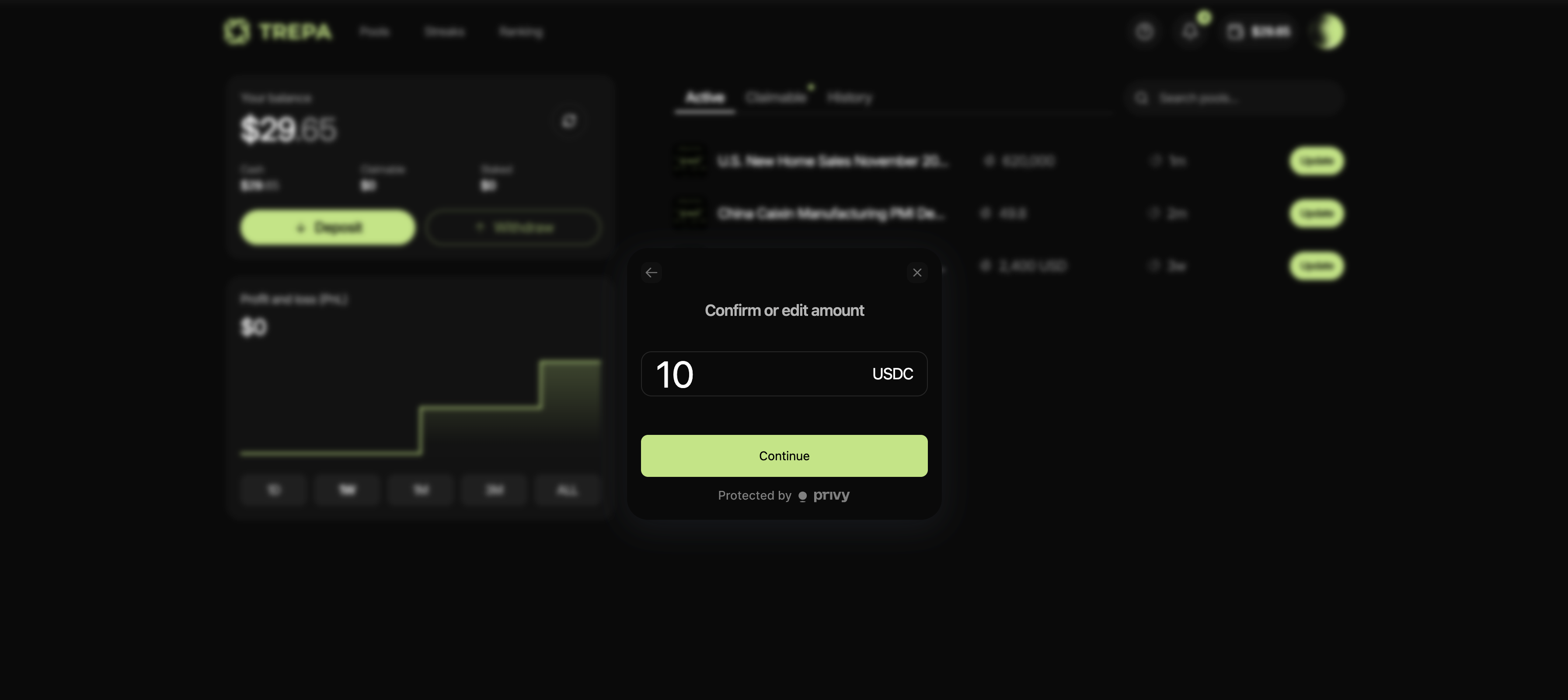
5
Review the transaction details very carefully. Click Confirm to complete the transfer. 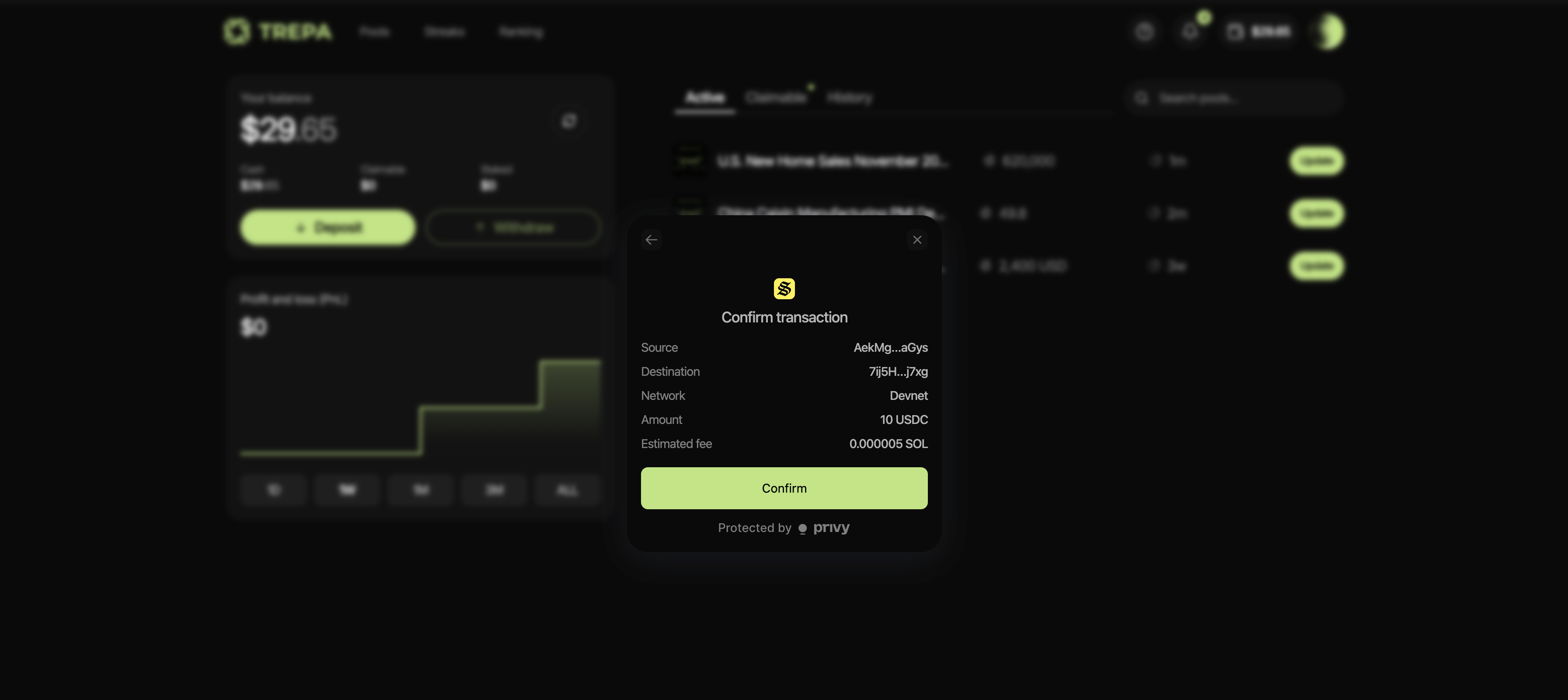
2. Deposit by receiving funds
Get your wallet address or QR code to receive USDC from any external wallet, exchange, or other source.1
Go to your portfolio by clicking on Trepa wallet, then click Deposit.
2
Click Receive funds to view your wallet address and QR code.
3
You’ll see your Trepa wallet address and a QR code. 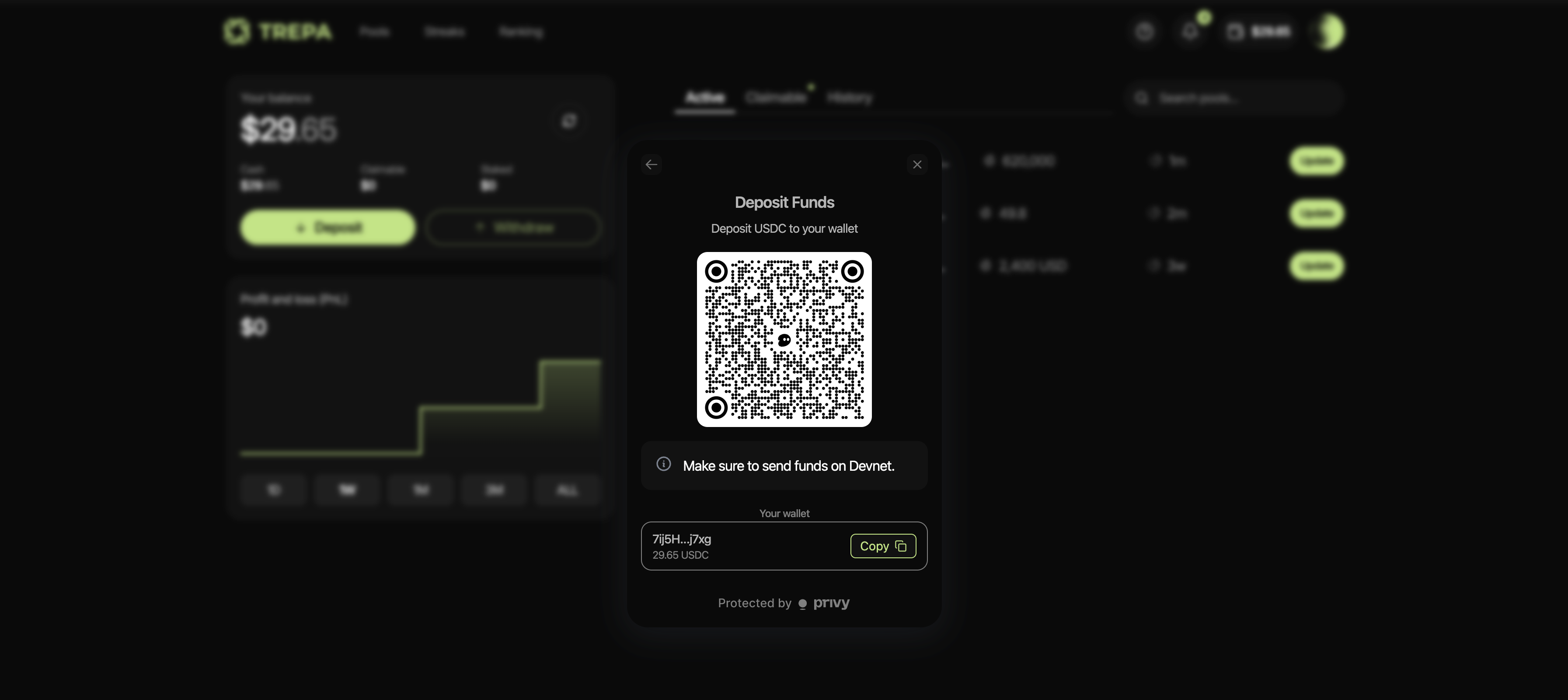
4
You can send USDC to the provided wallet address from your external wallet, exchange, or any other source.
Transaction fees
When transferring from an external wallet, you’ll need to pay network fees in SOL to process the transaction. This fee is separate from your deposit amount and goes to the Solana network, not Trepa. The estimated fee is displayed in the transaction confirmation dialog before you confirm.Troubleshooting
- Transaction pending: Blockchain transactions may take a few moments to confirm. Wait for the transaction to complete before checking your balance.
- Wrong network: If you sent funds on the wrong network, they won’t appear in your Trepa wallet. Always verify the network before sending.
- Insufficient SOL for fees: You need a small amount of SOL in your wallet to pay for transaction fees when transferring from an external wallet. Make sure you have enough SOL to cover the network fees.
- Failed transactions: If a transaction fails, check that you have sufficient funds and that you’re on the correct network. Contact support with your transaction ID if the issue persists.